Task 1. Browse the Model Structure
Start Pro/ENGINEER Wildfire 3.0 Tryout Edition if necessary.
In the Navigator Folder Browser , browse to the following folder C:\HANDS-ON_WF3\INTRODUCTION_TUTORIAL.
Right-click the INTRODUCTION_TUTORIAL folder and select Set Working Directory.
Click PULLEY_BRACKET.ASM from the File List to preview the part. Middle-drag in the preview window to spin the model.
Middle-drag implies a middle mouse button "press and hold", while moving the mouse.
Click Open in Pro/E from the browser as shown in the previous model.
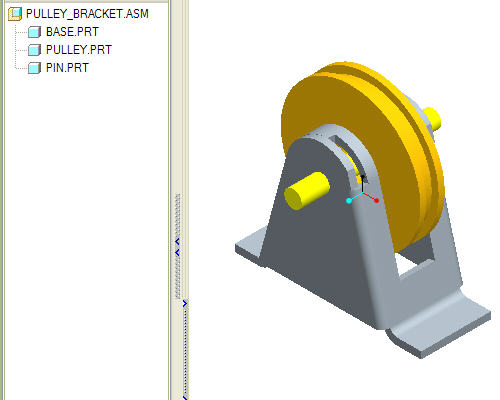
When the assembly opens, notice the model structure. The assembly contains three parts namely BASE.PRT, PULLEY.PRT and PIN.PRT.
Right click on the BASE.PRT and click Open.


 , browse to the following folder C:\HANDS-ON_WF3\INTRODUCTION_TUTORIAL.
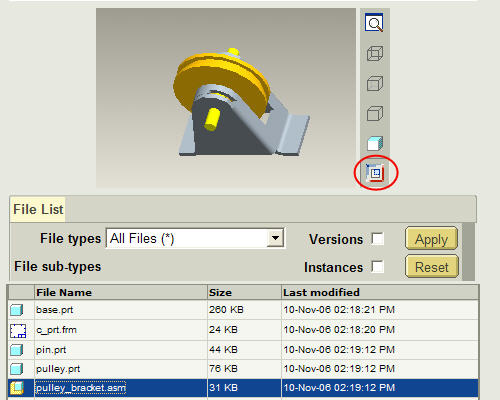
 from the browser as shown in the previous model.