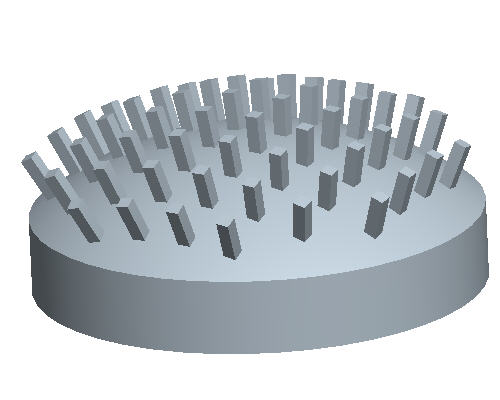
Task 7. Fill Pattern along a curved surface (continued).
Select Saved View List icon and select BACK_PATTERN to return back to the previous orientation.
Right click on PATTERN2 of PROTRUSION1 in the Model Tree and select Edit Definition.
Select the Options tab from the Dashboard at the bottom of the screen.
Change the radial button from Constant to Follow Surface Shape.
Select Complete Feature icon at the right side of the dashboard.
Congratulations! This completes the Pattern Tutorial.



 icon and select BACK_PATTERN to return back to the previous orientation.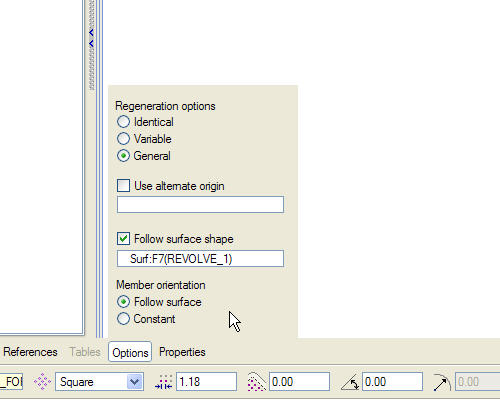
 icon at the right side of the dashboard.