 |
|
|
Running a Mechanism
You can enter Mechanism Mode to run a mechanism. With the PISTON_ASSY assembled using connections, it will now move when the CRANKSHAFT rotates. |
|
| Task 3-9. Run the ENGINE mechanism again. |
-
Click Saved View List  from the main toolbar and select Standard Orientation. -
Click Applications > Mechanism from the main menu.
- Expand the ANALYSES branch of the mechanism tree (lower left of the screen) by clicking the '+'.
- Select the existing RUN_ENGINE analysis.
- Right-click and select Run.
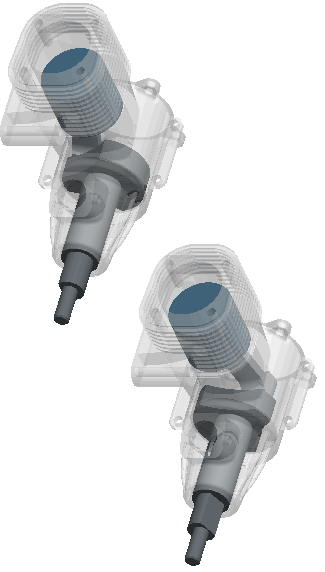
- Notice the CRANKSHAFT rotates 360 degrees, and the PISTON and CONNECTING_ROD move as a mechanism.
|
Orienting the Model |
- Click Save
 from the main toolbar and click OK. from the main toolbar and click OK.
- Click File > Close Window
 and click Yes from the message window. and click Yes from the message window.
- Click File > Erase > Not Displayed > OK to erase all models from session memory.
This completes the third exercise. |



