


Intelligent Extrude Search Tool: Extrude As a Blind Cut
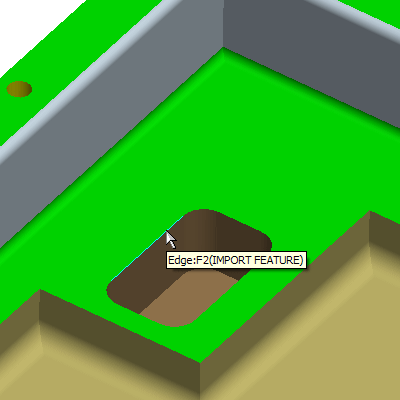
1. Select the Intelligent Extrude Search  and select and edge of the pocket as shown.
|
|
This will create a Blind Extruded Cut. |

Intelligent Extrude Search Tool: Extrude As a Thru Cut
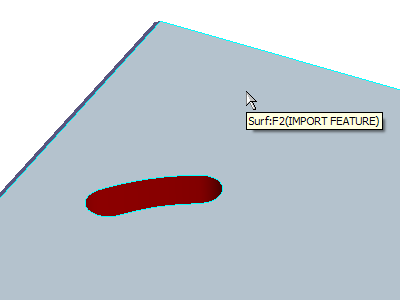
2. Select the Intelligent Extrude Search and select the bottom surface as shown.
|
|
This Intelligent Search Tool is smart enough to find all enclosed loops and recognizing them as extrudes. |
You have completed this Exercise, continue to Next Page.


