62/76 
 
 
Information

Creating Drawings

Once a General view is placed, you can create other views such as Projection views.


Task 4-6. Place a projected views of the CONNECTING_ROD.

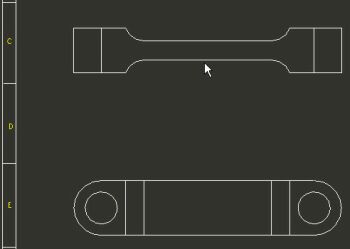
  1. Create a projected view as shown in the following figure:
    • Select the previous FRONT view so that the view outline highlights in red.
    • Right-click and select Insert Projection View.
    • Select a location above the first view as shown in the following figure.


Placing the first Projection View

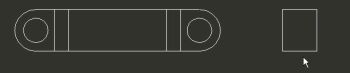
  1. Create another projection view as shown in the following figure:
    • Select the FRONT view so that the view outline highlights in red.
    • Right-click and select Insert Projection View.
    • Select a location to the right as shown in the following figure.


Placing the second Projection View