 |
|
|
Creating Drawings
In addition to using a Drawing Template, you can place views on a drawing sheet manually. First, a General view is placed. A General view can be placed in any orientation. |
|
| Task 4-5. Add a second sheet and create a view of the CONNECTING_ROD. |
- Select on the drawing background, then right-click and select Properties.
- Click Drawing Models > Add Model from the menu manager (right of the screen).
- Select the CONNECTING_ROD_COMPLETE.PRT and click Open.
- Click Insert > Sheet from the main menu to add a second sheet to the drawing.
- Type YOUR NAME at the prompt and press ENTER.
- Right click and select Insert General View.
- Select a location as shown in the following figure to place the view.
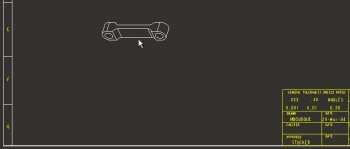
Placing the first General View. |
- Select FRONT as the Model View Name from the Drawing View dialog box.
- Click OK from the Drawing View dialog box.
- Double-click the SCALE value in the lower left corner of the screen.
|



