50/76
Task 3-5.
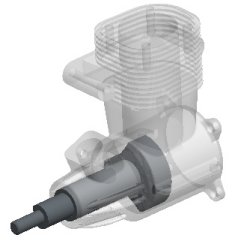
Open the ENGINE assembly.
Select the
Folder Browser
(left of the screen), and select the
ProE_models
folder.
Select the ENGINE.ASM from the browser, and click
Open File in Pro/E
.
A transparent appearance has been applied to the ENGINE_BLOCK.PRT within the ENGINE.ASM.
ENGINE.ASM




 (left of the screen), and select the ProE_models folder.