|
|
Running a Mechanism
A Mechanism refers to components that have been assembled using Connections. Connections can be used to allow components to move as realistic mechanical joints.
You can enter Mechanism Mode to run a mechanism. In order to run, the assembly must have components assembled with connections, and a Servo Motor and Analysis defined.
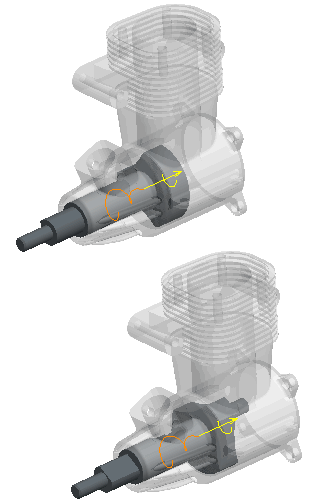
The Servo Motor defines the rotational velocity of the crankshaft, and the Analysis defines the time duration for the mechanism to run.
The ENGINE assembly was created using a Pin connection for the CRANKSHAFT. The Servo Motor (90 degrees/sec) and the Analysis (4 sec) have been pre-created for you, providing a 360 degree rotation. |



 from the main toolbar and select Standard Orientation.