|
|
|
Coaxial Holes
Coaxial Holes use a datum axis for location, but also require a placement plane as a secondary reference. |
|
| Task 2-23. Create a coaxial hole on the previous axis. |
- With the axis still selected, start the Hole Tool
 from the feature toolbar. from the feature toolbar.
- Right-click and hold, then select Secondary References Collector.
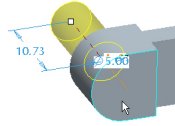
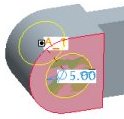
- Select the "D-shaped" surface shown in the following figure in the upper left as the placement plane.
- Right-click on the depth handle and hold, then select Through All.
- Notice the diameter dimension is set to 5 from the previous hole.
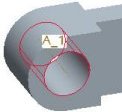
- Click Complete Feature
 from the dashboard. from the dashboard.
- Click Datum Axes
 from the main toolbar to disable their display. from the main toolbar to disable their display. |