| Task 2-21. Create an extrude forming the enlarged end of the model. |
- With the sketch still selected, start the Extrude Tool
 from the feature toolbar. from the feature toolbar.
- Click the black arrow on the Depth Options Flyout
 in the dashboard and select Both Sides in the dashboard and select Both Sides  . .
- Drag the depth handle to 7.
- Click Complete Feature
 from the dashboard. from the dashboard.
 |
|
|
You can also right-click on depth handles and select the desired depth option. |
|
|
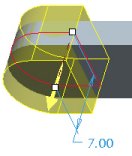 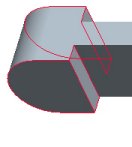
Protrusion Created |
|



