38/76
Task 2-19.
Continue the sketch by sketching lines and trimming.
Click
Line
from the line types flyout in the sketcher toolbar.
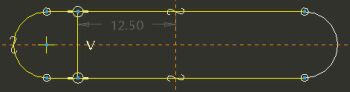
Sketch a vertical line snapping to the existing lines, as shown in the following figure on the top.
Middle-click to stop sketching.
Click
Dynamic Trim
from the sketcher toolbar.
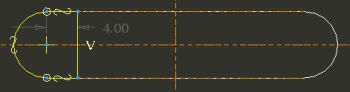
Click and drag to sketch a freehand curve to remove the unwanted horizontal line segments as shown in the following figure on the bottom.
Ignore any dimension values for now.
Sketching a Line and Dynamic Trim




 from the sketcher toolbar.