| Task 2-13. Complete the hole in the center of the PISTON. |
- Click Saved View List
 from the main toolbar and select Standard Orientation. from the main toolbar and select Standard Orientation.
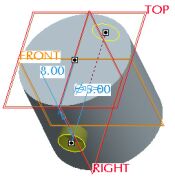
- Complete the hole as shown in the following figure:
- Click the Shape tab in the dashboard.
- Change the existing depth option from Blind to Through All.
- Change the depth option for Side 2 from None to Through All.
- Type 5 for the diameter in the dashboard, and press ENTER.
- Click Complete Feature
 . .
 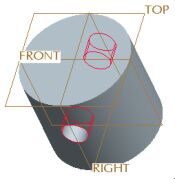
Hole Created |
 |
|
|
You can also middle-click as a shortcut to Complete Feature . |
| |



