 |
|
|
Editing Feature Dimensions
You can Edit a feature to display its dimensions, and then enter new values. You then must Regenerate the model to update the changes. |
|
| Task 1-5. Edit the dimensions of the carburetor mount, and then undo the changes. |
- Highlight and select the extrude feature as shown in the following figure.
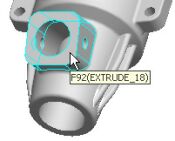 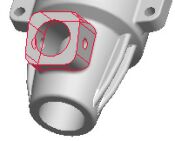
Selecting a Feature |
- Right-click and hold, then select Edit.
- The section and dimensions of the feature appear.
- Double-click on the 14.5 dimension, type 11.5, and press ENTER.
- Click Regenerate
 from the main toolbar (top of the screen) to update the model. from the main toolbar (top of the screen) to update the model.
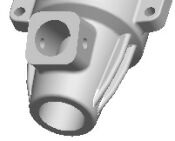 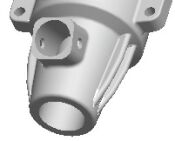
Model Regenerated |
- Click Undo
 from the main toolbar (top of the screen) to reverse the last edit. from the main toolbar (top of the screen) to reverse the last edit.
|
|
|
You can press CTRL + Z as a shortcut to Undo. |
|
|



